Características Principales y Garantía de Privacidad
- ✓ Ejecución 100% en el Navegador: Tus datos nunca salen de tu dispositivo ni tocan servidores remotos.
- ✓ Salida Instantánea en Tiempo Real: Cero latencia de red, evaluación al teclear y copiado rápido.
- ✓ Gratis e Ilimitado para Siempre: Sin registro, sin barreras de pago ni límites diarios.
- ✓ Cumplimiento de Estándares: Desarrollado según especificaciones web RFC, ISO y W3C.
Base64 encode online
Base64 represents binary data as ASCII text so it can travel in JSON, email, or data URIs. Developers search “base64 encode online” when wiring APIs or embedding small assets—not the same need as hashing or encryption.
Especificaciones Técnicas y Arquitectura
- Technical Standard:
- RFC 4648 (The Base16, Base32, and Base64 Data Encodings)
- Execution Environment:
- 100% Client-Side Browser Sandbox
- Data Privacy:
- Zero Server Storage / No Tracking
- Processing Speed:
- Real-time local CPU execution
- Cross-Platform:
- Works on Windows, macOS, Linux, iOS & Android
Character Set & Binary Radix Transformation
Encoders and decoders map binary byte sequences or text characters to alternative radix representations (such as Base64, Base62, Hexadecimal, or URL Percent-Encoding). Decoding performs the inverse mathematical mapping to restore the original plain text or binary buffer. Because processing occurs entirely within local browser memory, API keys, sensitive tokens, and session credentials never leave your machine.
Provide Input
Enter, paste, or upload your data into the input field above.
Configure & Process
The tool immediately processes your input in real time according to your chosen settings.
Copy or Save
Use the Copy button to copy the output to your clipboard, or download the result to your device.
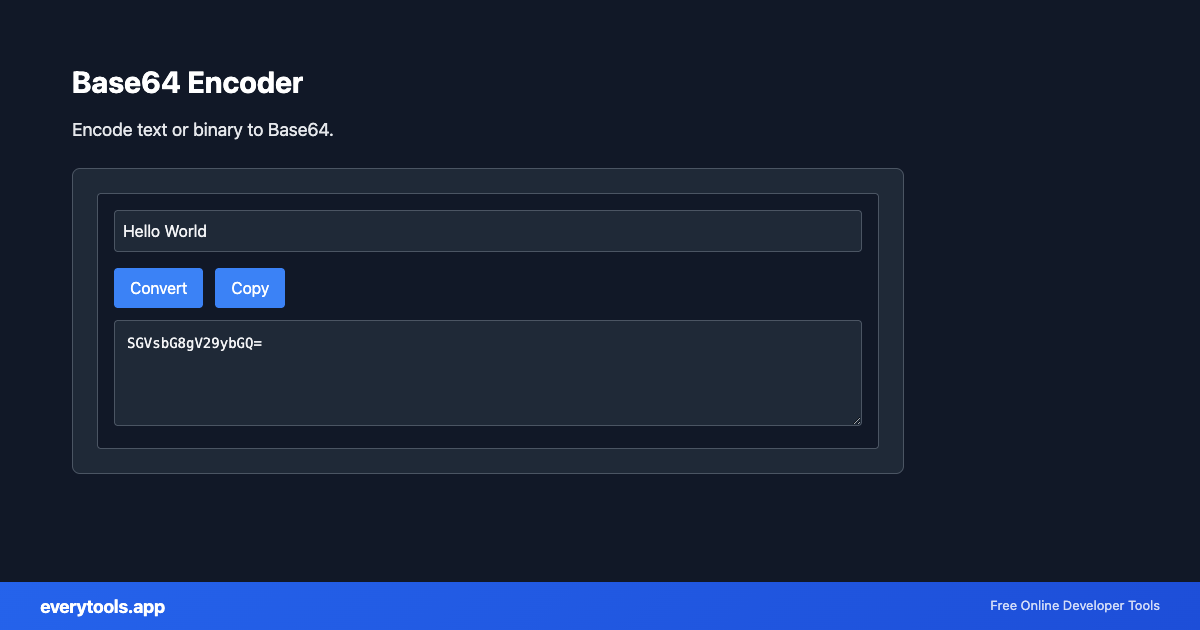
Referencia Técnica y Estándares
Base64 encoder vs Base64 decoder
This page encodes raw input to Base64. To turn Base64 back into bytes or text, use our Base64 decoder tool—link it in reviews and runbooks so teams do not confuse direction in incidents.
Casos de Uso Comunes
- Encode small images or icons for inline data URIs in CSS or HTML
- Prepare binary snippets for JSON payloads in REST APIs
- Debug what a third-party SDK expects before sending over the wire
- Pair with the decoder when validating round-trip configs
Guías y consejos de plataforma
También te podría interesar
Herramientas Relacionadas y Siguientes Pasos
Utilidades de desarrollo recomendadas usadas con frecuencia junto a Base64 Encoder
Base64 to Image
Convert Base64 encoded strings to images. Decode and display images.
URL Encoder
Encode text for URLs. Convert special characters to percent-encoding.
SHA-256 Hash Generator
Generate SHA-256 hash. Secure hashing for passwords and integrity.
Otras Codificadores y Decodificadores
URL Decoder
Decode URL-encoded strings. Convert percent-encoded text to readable form.
URL Encoder
Encode text for URLs. Convert special characters to percent-encoding.
Base32 Encoder
Encode text to Base32 format.
Base32 Decoder
Decode Base32 encoded strings.
Base64 Decoder
Decode Base64 encoded strings.
HTML Decoder
Decode HTML entities to plain text.
HTML Encoder
Encode special characters to HTML entities.
Base58 Encoder
Encode to Base58 (Bitcoin alphabet).
Preguntas frecuentes
- What is Base64 used for?
- Common uses include embedding files in JSON, attaching binary payloads in text-only channels, and building data: URIs for images or fonts. It is encoding, not encryption—anyone can decode Base64.
- Base64 vs Base64URL?
- Standard Base64 can include +, /, and = padding. URL-safe variants swap characters for hyphen and underscore. If your API expects URL-safe Base64, normalize before decoding.
- Does Base64 make data secret?
- No. Do not treat Base64 as security. For secrets use proper encryption and key management, or hashed passwords with algorithms designed for that purpose.