核心特性与隐私安全保证
- ✓ 100% 浏览器本地运行:您的输入数据绝不离开本地设备,不会上传至任何远程服务器。
- ✓ 实时无延迟输出:零网络等待时间,随打随算,毫秒级快速剪贴板复制。
- ✓ 永久完全免费无限制:无需注册登录,没有付费门槛,没有每日使用频率限制。
- ✓ 严格遵循国际标准:基于 RFC、ISO 及 W3C 官方网络协议规范构建。
Convert cURL commands to JavaScript, Python, and PHP
Paste any cURL request copied from Chrome DevTools, Postman, or API documentation to extract URLs, HTTP methods, headers, query parameters, cookies, and JSON request bodies into ready-to-run application code.
技术规格与架构设计
- Technical Standard:
- RFC 3986 (Uniform Resource Identifier Generic Syntax)
- Execution Environment:
- 100% Client-Side Browser Sandbox
- Data Privacy:
- Zero Server Storage / No Tracking
- Processing Speed:
- Real-time local CPU execution
- Cross-Platform:
- Works on Windows, macOS, Linux, iOS & Android
Tokenization, Deconstruction & Structural Analysis
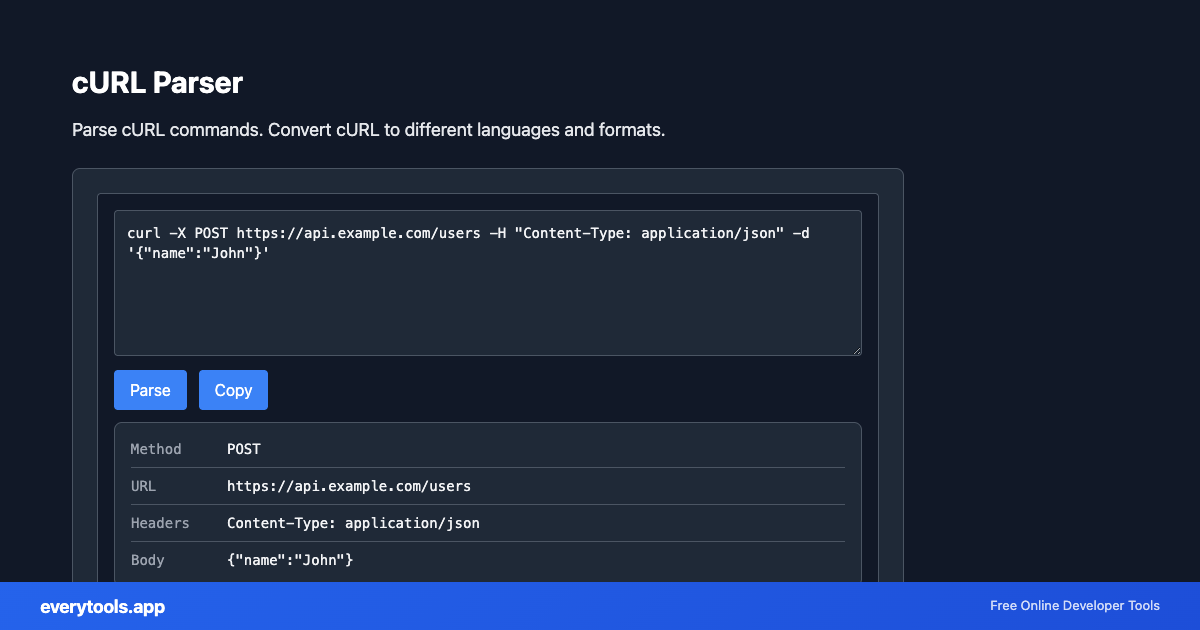
The parser decomposes complex strings, commands, or protocol payloads into discrete, human-readable components. It isolates headers, query parameters, payload arguments, and metadata flags, displaying them in a structured key-value layout. This is essential for debugging failing HTTP requests, analyzing authentication tokens, or inspecting browser environment variables.
Provide Input
Enter, paste, or upload your data into the input field above.
Configure & Process
The tool immediately processes your input in real time according to your chosen settings.
Copy or Save
Use the Copy button to copy the output to your clipboard, or download the result to your device.
技术参考与执行标准
Deconstructing cURL Command Flags & Syntax
cURL commands convey HTTP parameters through shell arguments: -X for request methods (GET, POST, PUT, DELETE), -H for headers (Authorization, Content-Type), -d / --data-raw for request bodies, and -b for cookie sessions. This parser tokenizes shell flags, unescapes quoted JSON strings, resolves multi-line backslash line continuations, and isolates query parameters cleanly.
From Chrome DevTools Network Tab to Production Code
The standard developer workflow for reverse-engineering endpoints is right-clicking a network row in Chrome or Firefox DevTools and selecting 'Copy as cURL'. Pasting that raw command here instantly generates async JavaScript fetch(), axios, Python requests, or PHP cURL syntax ready to integrate into your application.
常见应用场景
- Copy a request from Chrome DevTools and convert it to JavaScript fetch() or Python requests
- Extract headers, cookies, and body from cURL commands for API documentation
- Debug failing API calls by parsing the full cURL command into structured components
- Convert cURL examples from API docs to the language your project uses
深入了解
操作指南与实用技巧
您可能还喜欢
关联工具与工作流推荐
在配合 cURL Parser 使用时最受欢迎的上下游实用开发辅助工具
cURL to Fetch
Convert cURL command to JavaScript fetch(). Paste curl, get ready-to-use fetch code for browsers and Node.js.
cURL to Python
Convert cURL commands to Python requests code with parsed headers, query params, and JSON payloads.
URL Slug Generator
Convert text to URL-friendly slugs. Create SEO-friendly URLs from titles.
其他 解析器 (Parsers)
URL Parser
Parse and analyze URL components: protocol, host, path, query, fragment.
User Agent Parser
Parse and analyze browser user agent strings.
Color Parser
Parse color values: hex, RGB, HSL, and convert between formats.
JWT Decoder
Decode and inspect JSON Web Tokens. View header, payload, and signature.
Regex Tester
Test regular expressions against sample text. See matches in real time.
Cron Expression Parser
Parse and explain cron expressions. Validate cron syntax.
IP Address Extractor
Extract IPv4 and IPv6 addresses from text. Find all IPs in logs or content.
Semver Parser
Parse and compare semantic version strings. Extract major, minor, patch. Validate semver format (1.2.3).
常见问题
- What does a cURL parser do?
- A cURL parser reads a cURL command and converts it to other formats like JavaScript fetch(), Python requests, or PHP. Useful when you copy a request from browser dev tools and need code for your app.
- How to convert cURL to fetch?
- Paste your cURL command in the tool. It extracts the URL, method, headers, and body. Click the format you need (fetch, Python, etc.) and copy the generated code.