Parse and inspect HTTP User-Agent headers online
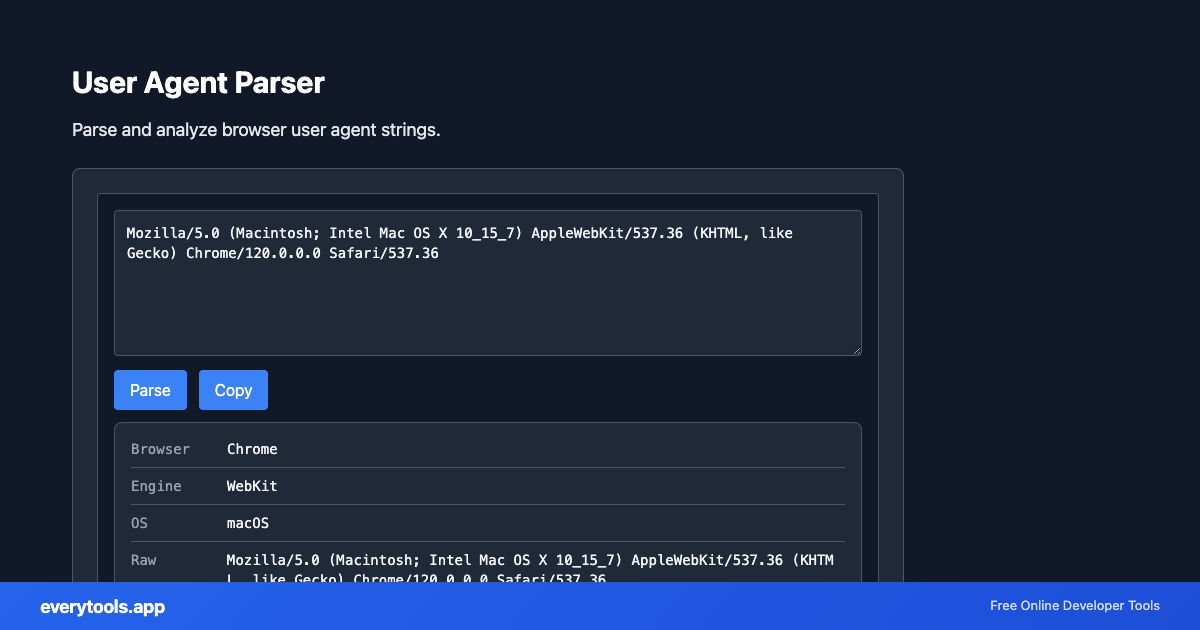
Extract browser family, rendering engine, operating system version, CPU architecture, and device type from any browser User-Agent string.
Technical Specifications & Architecture
- Technical Standard:
- RFC 9110 (HTTP Semantics) & W3C User-Agent Client Hints
- Execution Environment:
- 100% Client-Side Browser Sandbox
- Data Privacy:
- Zero Server Storage / No Tracking
- Processing Speed:
- Real-time local CPU execution
- Cross-Platform:
- Works on Windows, macOS, Linux, iOS & Android
Tokenization, Deconstruction & Structural Analysis
The parser decomposes complex strings, commands, or protocol payloads into discrete, human-readable components. It isolates headers, query parameters, payload arguments, and metadata flags, displaying them in a structured key-value layout. This is essential for debugging failing HTTP requests, analyzing authentication tokens, or inspecting browser environment variables.
Provide Input
Enter, paste, or upload your data into the input field above.
Configure & Process
The tool immediately processes your input in real time according to your chosen settings.
Copy or Save
Use the Copy button to copy the output to your clipboard, or download the result to your device.
Technical Reference & Standards
Extracting Browser & OS Environment Variables
User-Agent strings contain nested product tokens and system architecture flags. The parser evaluates the string against comprehensive regex dictionaries to detect the exact browser family (Chrome, Safari, Firefox, Edge), engine (Blink, Gecko, WebKit), operating system (macOS, Windows, iOS, Android, Linux), and hardware type (mobile, tablet, desktop).
Bot Identification & Server Access Log Auditing
DevOps and security engineers analyze web server access logs (Nginx, Apache, Caddy) to distinguish search engine bots (Googlebot, Bingbot) and monitoring spiders from malicious scraping bots. Pasting suspicious User-Agent headers into this tool immediately clarifies client authenticity.
Common Use Cases
- Inspect browser family, browser engine, OS, and device type from raw HTTP User-Agent strings
- Debug mobile vs. desktop redirection logic and device-specific rendering issues
- Analyze server access logs and security logs to detect scraping bots and crawlers
- Verify custom User-Agent headers sent by mobile apps and API clients
You might also like
Connected Tools & Next Steps
Recommended developer utilities frequently used before or after User Agent Parser
cURL Parser
Parse cURL commands. Convert cURL to different languages and formats.
Follow Redirect URL
Follow URL redirects and get the final destination. Check where a URL points to.
URL Parser
Parse and analyze URL components: protocol, host, path, query, fragment.
Other Parsers Tools
URL Parser
Parse and analyze URL components: protocol, host, path, query, fragment.
cURL Parser
Parse cURL commands. Convert cURL to different languages and formats.
Color Parser
Parse color values: hex, RGB, HSL, and convert between formats.
JWT Decoder
Decode and inspect JSON Web Tokens. View header, payload, and signature.
Regex Tester
Test regular expressions against sample text. See matches in real time.
Cron Expression Parser
Parse and explain cron expressions. Validate cron syntax.
IP Address Extractor
Extract IPv4 and IPv6 addresses from text. Find all IPs in logs or content.
Semver Parser
Parse and compare semantic version strings. Extract major, minor, patch. Validate semver format (1.2.3).
Frequently Asked Questions
- What does a user agent parser do?
- A user agent parser takes a browser user agent string and extracts the browser name, version, operating system, and device type. Useful for analytics, debugging, and device detection.
- How do I get my user agent?
- Your browser sends it automatically. Use our Browser Info tool or search 'what is my user agent' to see it. Paste any user agent here to parse and analyze it.