Few-Shot Prompt Builder
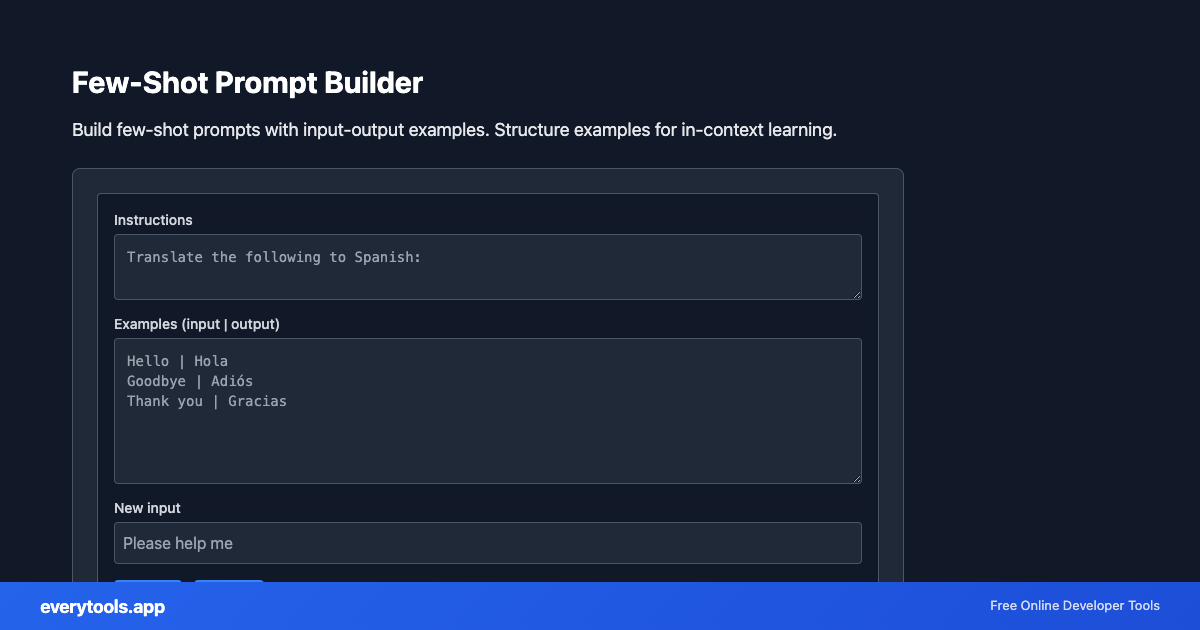
Build few-shot prompts with input-output examples. Structure examples for in-context learning.
Free Online Few-Shot Prompt Builder
The Few-Shot Prompt Builder is a high-speed, privacy-first web utility in the LLM Tools suite designed to build few-shot prompts with input-output examples. structure examples for in-context learning directly in your browser without requiring software installations, browser extensions, or account registrations.
Technical Specifications & Architecture
- Execution Environment:
- 100% Client-Side Browser Sandbox
- Data Privacy:
- Zero Server Storage / No Tracking
- Processing Speed:
- Real-time local CPU execution
- Cross-Platform:
- Works on Windows, macOS, Linux, iOS & Android
Prompt Engineering & Token Estimation Engine
LLM utilities evaluate prompt lengths, structure system instructions, and calculate approximate token counts based on byte-pair encoding (BPE) algorithms used by OpenAI, Anthropic, and Google models. This helps prevent token budget overflows and optimizes monthly API expenditure.
Provide Input
Enter, paste, or upload your data into the input field above.
Configure & Process
The tool immediately processes your input in real time according to your chosen settings.
Copy or Save
Use the Copy button to copy the output to your clipboard, or download the result to your device.
Connected Tools & Next Steps
Recommended developer utilities frequently used before or after Few-Shot Prompt Builder
Prompt Token Counter
Count characters, words, and estimate tokens for LLM prompts. Useful for OpenAI, Claude, and other AI APIs.
LLM JSON Extractor
Extract JSON from LLM responses. Parse code blocks and clean malformed JSON from AI output.
MCP Tool Schema Generator
Generate Model Context Protocol (MCP) tool definitions. Create name, description, and inputSchema JSON for MCP servers.
Other LLM Tools
Prompt Token Counter
Count characters, words, and estimate tokens for LLM prompts. Useful for OpenAI, Claude, and other AI APIs.
LLM JSON Extractor
Extract JSON from LLM responses. Parse code blocks and clean malformed JSON from AI output.
MCP Tool Schema Generator
Generate Model Context Protocol (MCP) tool definitions. Create name, description, and inputSchema JSON for MCP servers.
MCP Config Formatter
Format and validate MCP server configuration (mcp.json). Pretty-print and check structure for Cursor, Claude, and other MCP clients.
llms.txt Generator
Generate llms.txt for your website. Creates AI-readable discovery file with name, summary, contact, and services. Spec 1.1.1 compatible.
Prompt Template Builder
Build prompts with {{variable}} placeholders. Fill in values and preview. For reusable AI prompts.
System Prompt Generator
Generate system prompts for LLMs. Role, task, constraints, output format. For ChatGPT, Claude, etc.
Prompt Variable Extractor
Extract {{variables}} or {placeholders} from prompt templates. List placeholders for documentation.