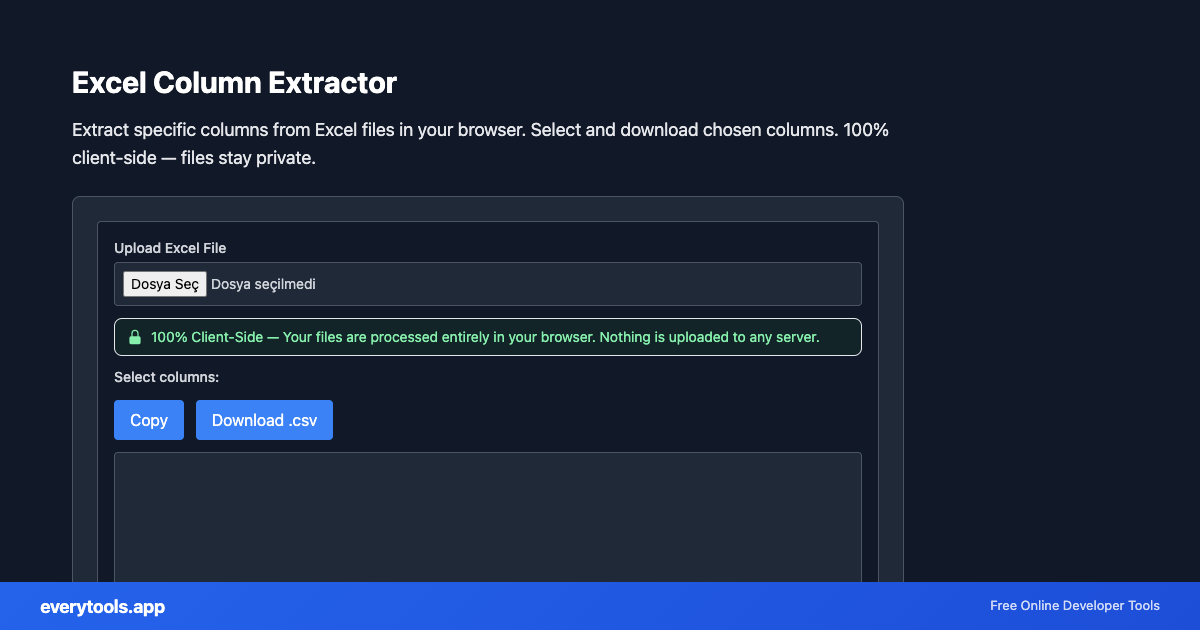
Excel Column Extractor
Extract specific columns from Excel files in your browser. Select and download chosen columns. 100% client-side — files stay private.
Caratteristiche Principali e Garanzia di Privacy
- ✓ Esecuzione 100% nel Browser: I tuoi dati non lasciano mai il dispositivo né toccano server remoti.
- ✓ Output Istantaneo in Tempo Reale: Zero latenza di rete, elaborazione immediata e copia veloce.
- ✓ Gratuito e Illimitato per Sempre: Nessuna registrazione, nessun paywall e nessun limite giornaliero.
- ✓ Conforme agli Standard: Costruito secondo gli standard web ufficiali RFC, ISO e W3C.
Free Online Excel Column Extractor
The Excel Column Extractor is a high-speed, privacy-first web utility in the Excel Tools suite designed to extract specific columns from excel files in your browser. select and download chosen columns. 100% client-side — files stay private directly in your browser without requiring software installations, browser extensions, or account registrations.
Specifiche Tecniche e Architettura
- Technical Standard:
- ECMA-376 / ISO/IEC 29500 (Office Open XML)
- Execution Environment:
- 100% Client-Side Browser Sandbox
- Data Privacy:
- Zero Server Storage / No Tracking
- Processing Speed:
- Real-time local CPU execution
- Cross-Platform:
- Works on Windows, macOS, Linux, iOS & Android
Spreadsheet Sheet & Cell Parsing Architecture
Spreadsheet tools read and write OpenXML (XLSX) and delimiter-separated structures entirely within client memory. Cells, column headers, number formats, and date objects are extracted and converted into JSON or CSV structures without server transmission. Ideal for processing customer rosters, sales reports, and analytics data privately.
Provide Input
Enter, paste, or upload your data into the input field above.
Configure & Process
The tool immediately processes your input in real time according to your chosen settings.
Copy or Save
Use the Copy button to copy the output to your clipboard, or download the result to your device.
Strumenti Collegati e Passaggi Successivi
Utility di sviluppo consigliate usate spesso prima o dopo Excel Column Extractor
Excel To JSON Converter
Convert Excel spreadsheets (.xlsx, .xls) to JSON format in your browser. 100% client-side — your files never leave your device.
JSON To Excel Converter
Convert JSON data to Excel (.xlsx) files in your browser. 100% client-side — your data never leaves your device.
Excel To CSV Converter
Convert Excel files to CSV format in your browser. 100% client-side — your files never leave your device. No upload required.
Altri Strumenti Excel
Excel To JSON Converter
Convert Excel spreadsheets (.xlsx, .xls) to JSON format in your browser. 100% client-side — your files never leave your device.
JSON To Excel Converter
Convert JSON data to Excel (.xlsx) files in your browser. 100% client-side — your data never leaves your device.
Excel To CSV Converter
Convert Excel files to CSV format in your browser. 100% client-side — your files never leave your device. No upload required.
CSV To Excel Converter
Convert CSV files to Excel (.xlsx) format in your browser. 100% client-side — your data never leaves your device.
Excel Viewer Online
View Excel files online in your browser without Excel installed. 100% client-side — your files never leave your device.
Excel To HTML Table
Convert Excel spreadsheets to HTML table code in your browser. 100% client-side — your files never leave your device.
Excel To SQL Insert
Convert Excel rows to SQL INSERT statements in your browser. 100% client-side — your data never leaves your device.
Excel To Markdown Table
Convert Excel spreadsheets to Markdown tables in your browser. 100% client-side — your files never leave your device.