Split PDF Online
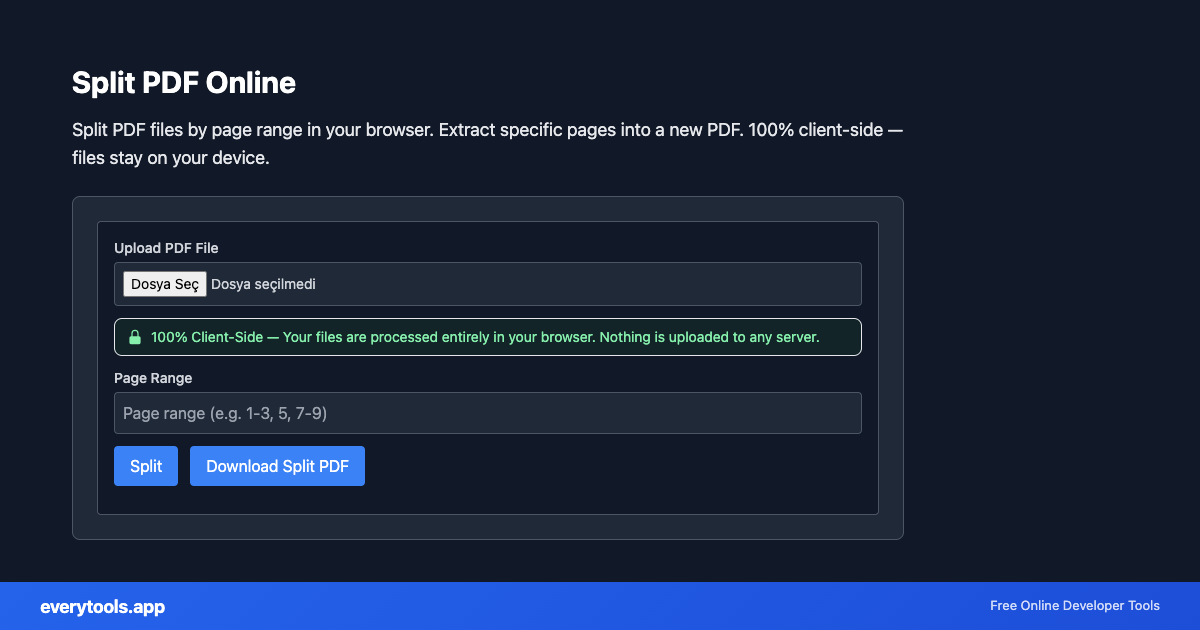
Split PDF files by page range in your browser. Extract specific pages into a new PDF. 100% client-side — files stay on your device.
主な特徴とプライバシー保証
- ✓ 100%ブラウザ内完結: データは端末外に出ず、外部サーバーに送信されることはありません。
- ✓ リアルタイム高速出力: ネットワーク遅延ゼロ、入力と同時に即時反映・高速コピー。
- ✓ 永久無料&制限なし: 会員登録不要、課金なし、1日の利用制限も一切ありません。
- ✓ 標準規格準拠: RFC、ISO、W3Cウェブ標準仕様に厳密に準拠して設計されています。
Split PDF files online
Create a new PDF from selected page ranges. Users often look for “split PDF online” or “extract pages from PDF” — this tool does exactly that without uploading your document.
技術仕様とアーキテクチャ
- Technical Standard:
- ISO 32000-1 / ISO 32000-2 Document Management (PDF)
- Execution Environment:
- 100% Client-Side Browser Sandbox
- Data Privacy:
- Zero Server Storage / No Tracking
- Processing Speed:
- Real-time local CPU execution
- Cross-Platform:
- Works on Windows, macOS, Linux, iOS & Android
Local PDF Processing in Browser Memory
PDF operations are powered by client-side WebAssembly (WASM) and local PDF rendering engines. Documents are loaded directly into browser ArrayBuffers, allowing operations like page extraction, merging, reordering, and text reading without uploading your files to remote cloud servers. Your confidential financial, legal, and personal documents remain 100% private.
Provide Input
Enter, paste, or upload your data into the input field above.
Configure & Process
The tool immediately processes your input in real time according to your chosen settings.
Copy or Save
Use the Copy button to copy the output to your clipboard, or download the result to your device.
技術リファレンスと規格
Split PDF vs merge PDF
Splitting produces a smaller PDF from part of a file; merging combines several files. Use split to share one chapter, merge to bundle many documents.
主な利用シーン
- Extract specific chapters or sections from a large PDF document
- Remove cover pages or appendices from a PDF
- Create a smaller PDF with only relevant pages for sharing
関連のおすすめツール
連携ツール・次のステップ
PDF Splitと合わせてよく使われる便利な開発者ユーティリティ
PDF Compress
Compress PDF file size in your browser. Reduce PDF size without losing quality. 100% client-side — your files never leave your device.
PDF To Image Converter
Convert PDF pages to PNG or JPG images in your browser. 100% client-side — your files never leave your device. No upload required.
DOCX To PDF Converter
Convert Word documents (.docx) to PDF in your browser. Preview HTML layout, then download PDF. 100% client-side — files never leave your device.
その他 PDF編集ツール
PDF To Text Converter
Extract text from PDF files directly in your browser. 100% client-side — your files never leave your device. No upload, no server processing.
PDF To Image Converter
Convert PDF pages to PNG or JPG images in your browser. 100% client-side — your files never leave your device. No upload required.
PDF Merge
Merge multiple PDF files into one document in your browser. 100% client-side — your files never leave your device. No upload, no server.
PDF Compress
Compress PDF file size in your browser. Reduce PDF size without losing quality. 100% client-side — your files never leave your device.
PDF Rotate Pages
Rotate PDF pages by 90, 180, or 270 degrees in your browser. 100% client-side — your files never leave your device.
PDF Page Counter
Count the number of pages in a PDF file instantly in your browser. 100% client-side — your files never leave your device.
PDF Metadata Viewer
View PDF metadata: title, author, creation date, producer, and more. 100% client-side — your files never leave your device.
PDF Watermark
Add text watermark to PDF pages in your browser. Custom text, size, color, opacity. 100% client-side — files stay private.
よくある質問
- Is my PDF safe when splitting online?
- Yes. This tool runs entirely in your browser using pdf-lib. Your PDF is never sent to any server. All page extraction happens locally on your device.
- How do I specify which pages to extract?
- Enter page numbers or ranges separated by commas. For example: 1-3, 5, 7-9 will extract pages 1, 2, 3, 5, 7, 8, and 9 into a new PDF.