Image to PDF Converter
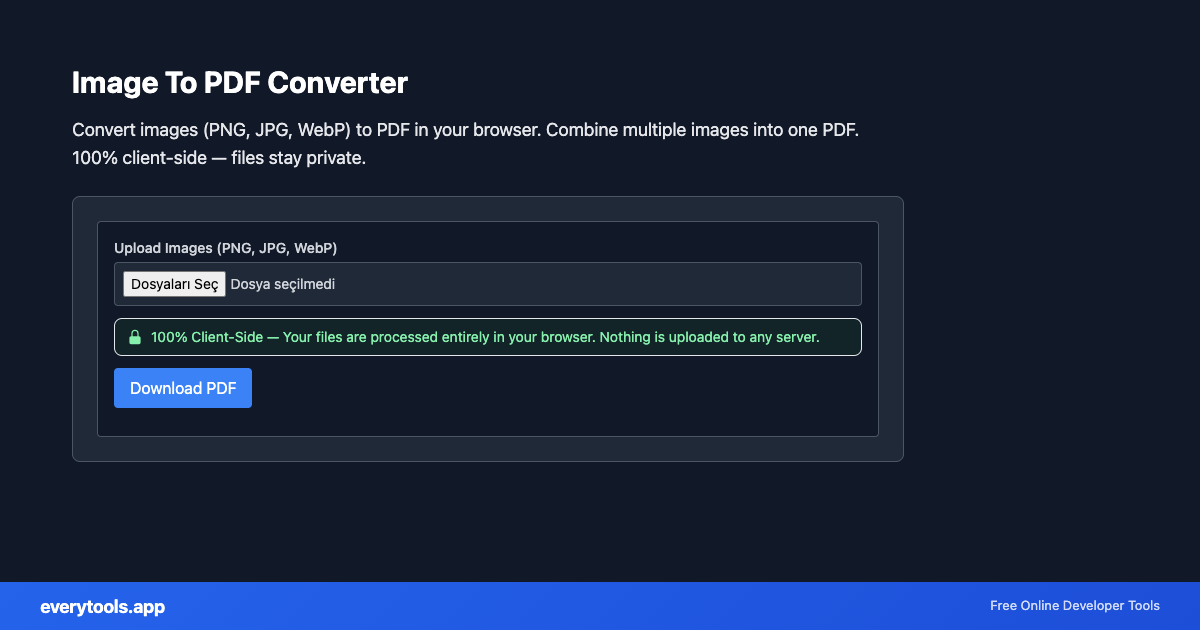
Convert images (PNG, JPG, WebP) to PDF in your browser. Combine multiple images into one PDF. 100% client-side — files stay private.
Características Principales y Garantía de Privacidad
- ✓ Ejecución 100% en el Navegador: Tus datos nunca salen de tu dispositivo ni tocan servidores remotos.
- ✓ Salida Instantánea en Tiempo Real: Cero latencia de red, evaluación al teclear y copiado rápido.
- ✓ Gratis e Ilimitado para Siempre: Sin registro, sin barreras de pago ni límites diarios.
- ✓ Cumplimiento de Estándares: Desarrollado según especificaciones web RFC, ISO y W3C.
JPG to PDF and image to PDF online
Turn photos or scans into a single PDF. Searches such as “JPG to PDF”, “PNG to PDF”, “image to PDF converter”, or “photo to PDF” map here: pick images, build pages, download — all locally in your browser.
Especificaciones Técnicas y Arquitectura
- Technical Standard:
- ISO 32000-1 / ISO 32000-2 Document Management (PDF)
- Execution Environment:
- 100% Client-Side Browser Sandbox
- Data Privacy:
- Zero Server Storage / No Tracking
- Processing Speed:
- Real-time local CPU execution
- Cross-Platform:
- Works on Windows, macOS, Linux, iOS & Android
Local PDF Processing in Browser Memory
PDF operations are powered by client-side WebAssembly (WASM) and local PDF rendering engines. Documents are loaded directly into browser ArrayBuffers, allowing operations like page extraction, merging, reordering, and text reading without uploading your files to remote cloud servers. Your confidential financial, legal, and personal documents remain 100% private.
Provide Input
Enter, paste, or upload your data into the input field above.
Configure & Process
The tool immediately processes your input in real time according to your chosen settings.
Copy or Save
Use the Copy button to copy the output to your clipboard, or download the result to your device.
Referencia Técnica y Estándares
Picture to PDF for records
Receipts, ID scans, and screenshots are often images. Combining them into one PDF makes emailing and archiving easier. This is not Word-to-PDF; for spreadsheets see Excel tools.
Casos de Uso Comunes
- Convert scanned document images to a single PDF file
- Create a photo album PDF from multiple images
- Package image receipts or screenshots into one PDF for records
Guías y consejos de plataforma
También te podría interesar
Herramientas Relacionadas y Siguientes Pasos
Utilidades de desarrollo recomendadas usadas con frecuencia junto a Image To PDF Converter
Base64 to Image
Convert Base64 encoded strings to images. Decode and display images.
Image to Base64
Convert images to Base64 encoding. Embed images in HTML or JSON.
Image Average Color
Get the dominant or average color from an image.
Otras Herramientas PDF
PDF To Text Converter
Extract text from PDF files directly in your browser. 100% client-side — your files never leave your device. No upload, no server processing.
PDF To Image Converter
Convert PDF pages to PNG or JPG images in your browser. 100% client-side — your files never leave your device. No upload required.
PDF Merge
Merge multiple PDF files into one document in your browser. 100% client-side — your files never leave your device. No upload, no server.
PDF Split
Split PDF files by page range in your browser. Extract specific pages into a new PDF. 100% client-side — files stay on your device.
PDF Compress
Compress PDF file size in your browser. Reduce PDF size without losing quality. 100% client-side — your files never leave your device.
PDF Rotate Pages
Rotate PDF pages by 90, 180, or 270 degrees in your browser. 100% client-side — your files never leave your device.
PDF Page Counter
Count the number of pages in a PDF file instantly in your browser. 100% client-side — your files never leave your device.
PDF Metadata Viewer
View PDF metadata: title, author, creation date, producer, and more. 100% client-side — your files never leave your device.
Preguntas frecuentes
- Are my images safe?
- Yes. All image-to-PDF conversion happens in your browser using pdf-lib. Your images are never uploaded to any server.
- Can I combine multiple images into one PDF?
- Yes. Select multiple images and each will become a separate page in the PDF. Images are added in the order you select them.
- Word to PDF?
- For Word .docx files use our DOCX to PDF tool in Word & DOCX tools — upload, preview, and download PDF in the browser.