Random Password Generator
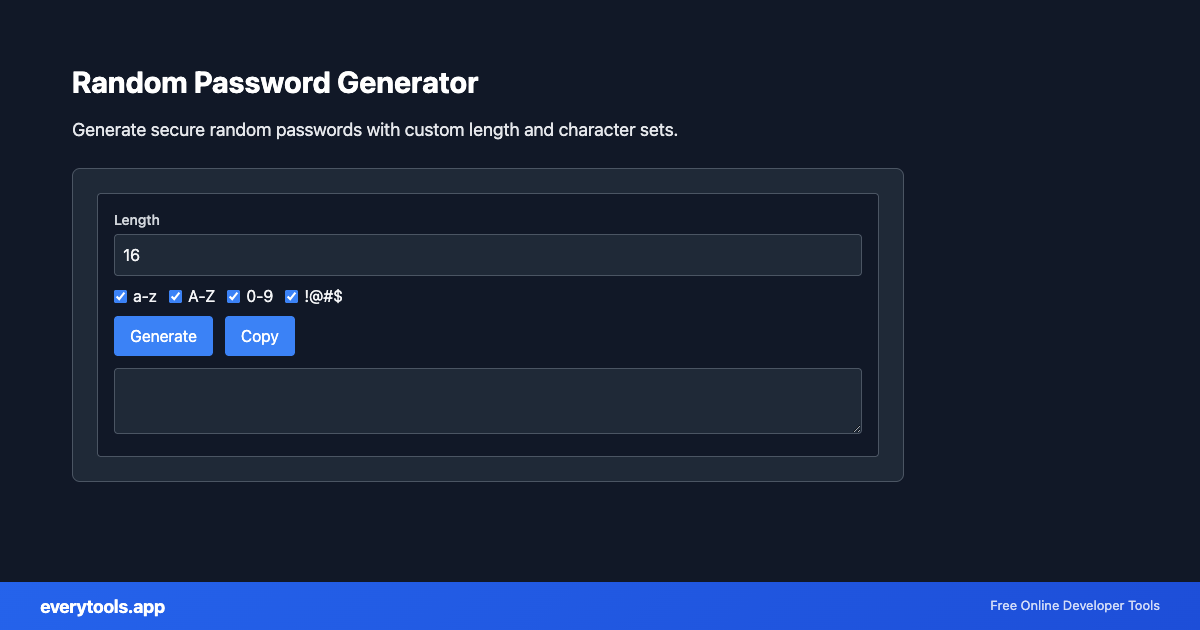
Generate secure random passwords with custom length and character sets.
Características Principales y Garantía de Privacidad
- ✓ Ejecución 100% en el Navegador: Tus datos nunca salen de tu dispositivo ni tocan servidores remotos.
- ✓ Salida Instantánea en Tiempo Real: Cero latencia de red, evaluación al teclear y copiado rápido.
- ✓ Gratis e Ilimitado para Siempre: Sin registro, sin barreras de pago ni límites diarios.
- ✓ Cumplimiento de Estándares: Desarrollado según especificaciones web RFC, ISO y W3C.
Strong random passwords in your browser
Create passwords with configurable length and character sets. Transactional intent is high—“random password generator” users want entropy fast, not a signup wall.
Especificaciones Técnicas y Arquitectura
- Technical Standard:
- ECMA-376 / ISO/IEC 29500 (Office Open XML)
- Execution Environment:
- 100% Client-Side Browser Sandbox
- Data Privacy:
- Zero Server Storage / No Tracking
- Processing Speed:
- Real-time local CPU execution
- Cross-Platform:
- Works on Windows, macOS, Linux, iOS & Android
High-Entropy Generation & Deterministic Patterns
Generators produce unique identifiers, passwords, text patterns, or graphic assets. For security-sensitive outputs (such as UUIDs and passwords), the tool uses cryptographically secure pseudo-random number generation (CSPRNG via the Web Cryptography API), ensuring maximum entropy and zero collision risk. Non-random patterns follow official standard schemas.
Provide Input
Enter, paste, or upload your data into the input field above.
Configure & Process
The tool immediately processes your input in real time according to your chosen settings.
Copy or Save
Use the Copy button to copy the output to your clipboard, or download the result to your device.
Referencia Técnica y Estándares
Use a password manager
This page generates candidates, but storing and auto-filling them belongs in a password manager. Pair this tool with your team’s approved vault rather than reusing one password across sites.
Casos de Uso Comunes
- Rotate staging credentials during security drills
- Generate unique service account passwords for disposable environments
- Suggest compliant defaults when onboarding new developers
- Pair with password strength checker to validate policy fit
También te podría interesar
Herramientas Relacionadas y Siguientes Pasos
Utilidades de desarrollo recomendadas usadas con frecuencia junto a Random Password Generator
Bcrypt Hash Generator
Generate bcrypt hashes for passwords.
Random UUID Generator
Generate RFC 4122 compliant UUIDs (v4) for unique identifiers.
Random Text Generator
Generate random text, Lorem Ipsum, and placeholder content.
Otras Generadores
Word Count Counter
Count words, characters, and sentences in text. Useful for writers and content creators.
Wheel Picker
Random wheel picker for fair selection. Spin the wheel to choose randomly.
Days Calculator
Calculate the number of days between two dates. Track durations and deadlines.
Favicon & App Icon Generator
Generate favicon.ico, Apple touch icons, PWA 192x192/512x512 PNGs, and HTML head tags from a single logo image.
Free Invoice & Receipt Generator
Create professional PDF invoices with custom line items, tax calculations, logo, and 1-click print/download.
Random Color Generator
Generate random colors in HEX, RGB, HSL formats for design and development.
Random Text Generator
Generate random text, Lorem Ipsum, and placeholder content.
URL Slug Generator
Convert text to URL-friendly slugs. Create SEO-friendly URLs from titles.
Preguntas frecuentes
- Are generated passwords sent to a server?
- No. Generation runs locally. Copy the value into your password manager or target app; do not paste secrets into untrusted extensions.
- What length should I use?
- Many organizations recommend 12–16+ characters with mixed case, digits, and symbols. Longer passphrases can be stronger than short complex strings—pick a policy and stick to it.