PDF Password Protect
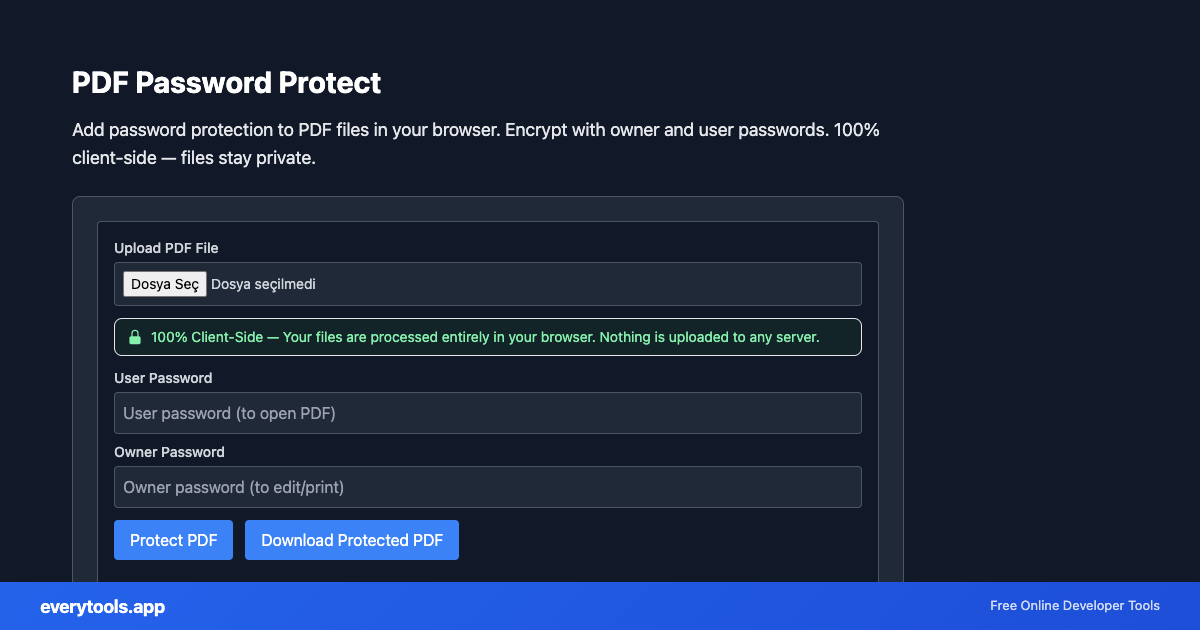
Add password protection to PDF files in your browser. Encrypt with owner and user passwords. 100% client-side — files stay private.
Free Online PDF Password Protect
The PDF Password Protect is a high-speed, privacy-first web utility in the PDF Tools suite designed to add password protection to pdf files in your browser. encrypt with owner and user passwords. 100% client-side — files stay private directly in your browser without requiring software installations, browser extensions, or account registrations.
Technical Specifications & Architecture
- Technical Standard:
- ISO 32000-1 / ISO 32000-2 Document Management (PDF)
- Execution Environment:
- 100% Client-Side Browser Sandbox
- Data Privacy:
- Zero Server Storage / No Tracking
- Processing Speed:
- Real-time local CPU execution
- Cross-Platform:
- Works on Windows, macOS, Linux, iOS & Android
Local PDF Processing in Browser Memory
PDF operations are powered by client-side WebAssembly (WASM) and local PDF rendering engines. Documents are loaded directly into browser ArrayBuffers, allowing operations like page extraction, merging, reordering, and text reading without uploading your files to remote cloud servers. Your confidential financial, legal, and personal documents remain 100% private.
Provide Input
Enter, paste, or upload your data into the input field above.
Configure & Process
The tool immediately processes your input in real time according to your chosen settings.
Copy or Save
Use the Copy button to copy the output to your clipboard, or download the result to your device.
Connected Tools & Next Steps
Recommended developer utilities frequently used before or after PDF Password Protect
Random Password Generator
Generate secure random passwords with custom length and character sets.
Password Strength Checker
Check password strength. Length, complexity, and common pattern detection.
DOCX To PDF Converter
Convert Word documents (.docx) to PDF in your browser. Preview HTML layout, then download PDF. 100% client-side — files never leave your device.
Other PDF Tools
PDF To Text Converter
Extract text from PDF files directly in your browser. 100% client-side — your files never leave your device. No upload, no server processing.
PDF To Image Converter
Convert PDF pages to PNG or JPG images in your browser. 100% client-side — your files never leave your device. No upload required.
PDF Merge
Merge multiple PDF files into one document in your browser. 100% client-side — your files never leave your device. No upload, no server.
PDF Split
Split PDF files by page range in your browser. Extract specific pages into a new PDF. 100% client-side — files stay on your device.
PDF Compress
Compress PDF file size in your browser. Reduce PDF size without losing quality. 100% client-side — your files never leave your device.
PDF Rotate Pages
Rotate PDF pages by 90, 180, or 270 degrees in your browser. 100% client-side — your files never leave your device.
PDF Page Counter
Count the number of pages in a PDF file instantly in your browser. 100% client-side — your files never leave your device.
PDF Metadata Viewer
View PDF metadata: title, author, creation date, producer, and more. 100% client-side — your files never leave your device.