JSON formatter and beautifier online
Paste minified or messy JSON and get readable indentation in one click. People use “JSON formatter”, “JSON beautifier”, and “pretty print JSON” for the same job—this page does all of it on one canonical URL with no second duplicate tool page.
Technical Specifications & Architecture
- Technical Standard:
- RFC 8259 (The JavaScript Object Notation Data Interchange Format)
- Execution Environment:
- 100% Client-Side Browser Sandbox
- Data Privacy:
- Zero Server Storage / No Tracking
- Processing Speed:
- Real-time local CPU execution
- Cross-Platform:
- Works on Windows, macOS, Linux, iOS & Android
Code Beautification & Indentation Mechanics
The formatter tokenizes your source code into keywords, operators, strings, comments, and blocks. It normalizes indentation depth, enforces consistent spacing around operators, aligns nested braces and brackets, and wraps long expressions to conform with standard language style guides. This eliminates formatting inconsistencies, simplifies team pull requests, and highlights syntax errors before execution.
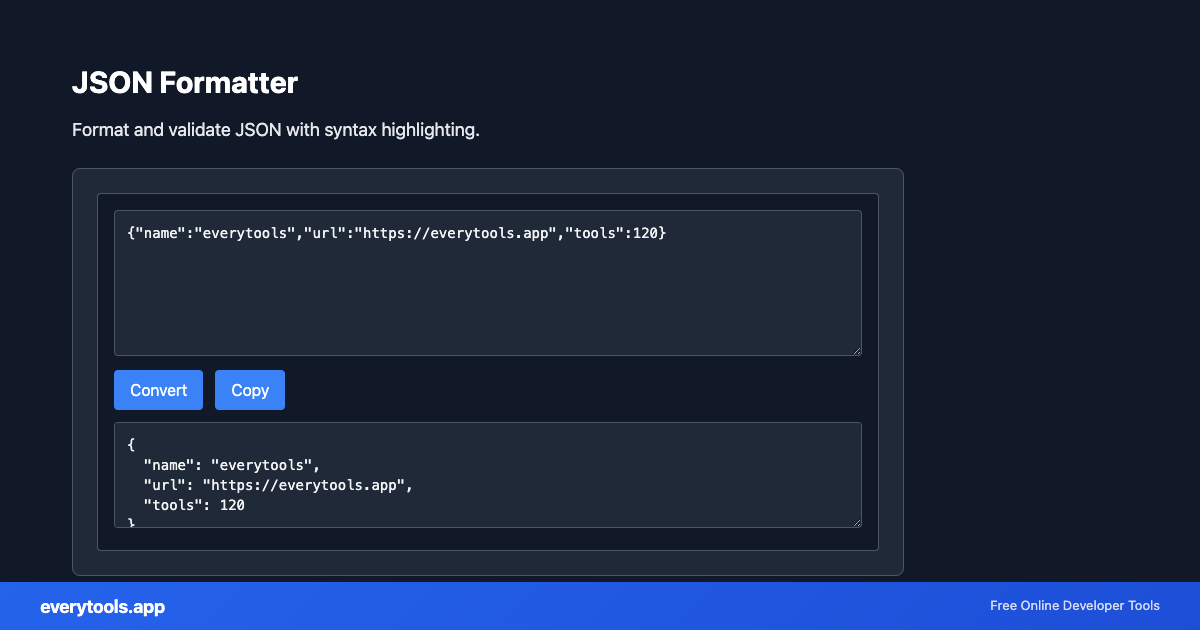
Provide Input
Enter, paste, or upload your data into the input field above.
Configure & Process
The tool immediately processes your input in real time according to your chosen settings.
Copy or Save
Use the Copy button to copy the output to your clipboard, or download the result to your device.
Technical Reference & Standards
JSON formatter vs minifier
Use this tool when you want humans to read or debug JSON. When you need the smallest payload for production APIs or files, use our JSON minifier in the Minifiers category—same pipeline, different intent.
Common Use Cases
- Pretty-print API responses from curl or Postman before sharing in tickets
- Debug large config blobs from Kubernetes, CI, or cloud consoles
- Prepare JSON examples for documentation and README files
- Compare structures before and after edits using a diff viewer
You might also like
Connected Tools & Next Steps
Recommended developer utilities frequently used before or after JSON Formatter
JSON to CSV
Convert JSON data to CSV format. Export JSON to spreadsheet-friendly format.
CSV to JSON
Convert CSV to JSON. Parse comma-separated values into structured data.
JSON to YAML
Convert JSON to YAML format. Transform data between formats.
Other Formatters Tools
JavaScript Formatter
Format and beautify JavaScript code with proper indentation.
HTML Formatter
Format HTML with consistent indentation and line breaks.
CSS Formatter
Format CSS for better readability and maintainability.
PHP Formatter
Format PHP code with proper styling and indentation.
Ruby Formatter
Format Ruby code for consistency and readability.
JSON-LD Formatter
Format and validate JSON-LD structured data. Add @context, escape for script tags, SEO schema.
Pug Formatter
Format Pug (Jade) template code.
Kotlin Formatter
Format Kotlin code with proper indentation.
Frequently Asked Questions
- Is this a free JSON formatter online?
- Yes. Formatting runs entirely in your browser. No signup and no server upload of your JSON.
- JSON beautifier vs JSON formatter—what is the difference?
- There is no functional difference for most users—both mean “add line breaks and indentation”. We target both phrases in headings and FAQs so searchers find one reliable page.
- Will this fix invalid JSON?
- If the input is not valid JSON, the formatter cannot safely pretty-print. Use the JSON validator in Validators to see the exact error and line position.
- Is my data uploaded?
- No. Your paste stays in the page memory on your device unless you choose to copy or save it elsewhere.