Meta Tag Generator
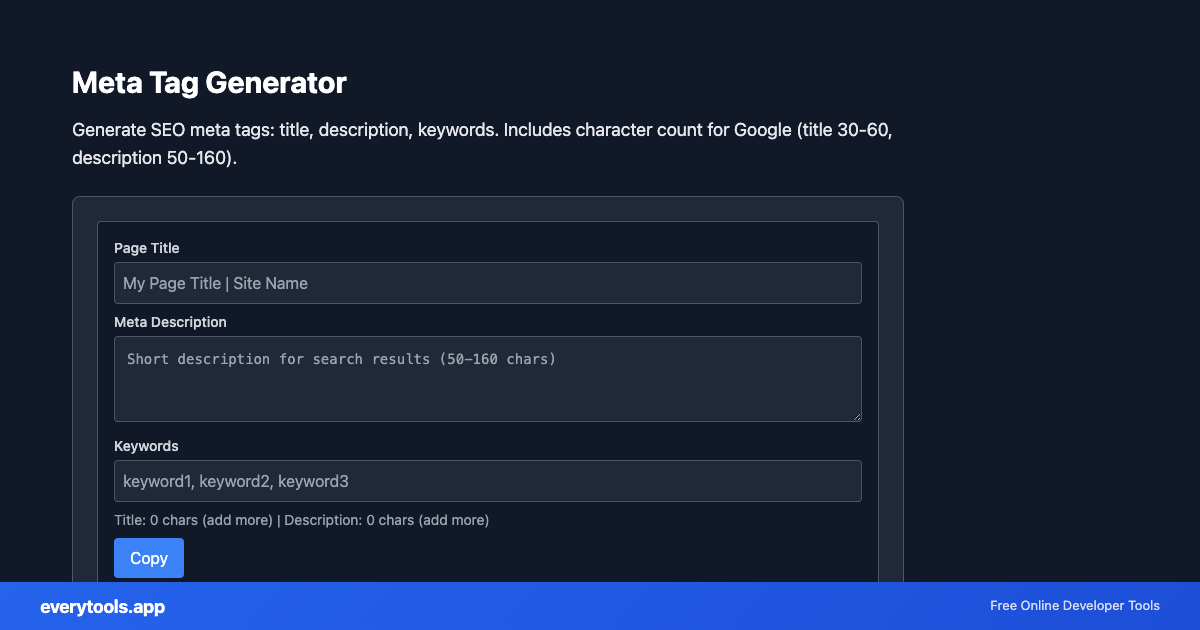
Generate SEO meta tags: title, description, keywords. Includes character count for Google (title 30-60, description 50-160).
SEO meta tag generator online
Build title, description, and keyword tags with character counts tuned for typical SERP display. This is a snippet helper, not a rank checker or site audit.
Technical Specifications & Architecture
- Technical Standard:
- ECMA-376 / ISO/IEC 29500 (Office Open XML)
- Execution Environment:
- 100% Client-Side Browser Sandbox
- Data Privacy:
- Zero Server Storage / No Tracking
- Processing Speed:
- Real-time local CPU execution
- Cross-Platform:
- Works on Windows, macOS, Linux, iOS & Android
Local Processing for SEO Tools
This tool runs within your browser sandbox using modern Web APIs. Inputs are processed on your local device CPU, avoiding network latency and ensuring your data is never stored on external servers or accessible to third parties.
Provide Input
Enter, paste, or upload your data into the input field above.
Configure & Process
The tool immediately processes your input in real time according to your chosen settings.
Copy or Save
Use the Copy button to copy the output to your clipboard, or download the result to your device.
Technical Reference & Standards
Meta tags vs “SEO tools” that audit rankings
everytools helps you output correct HTML meta tags and lengths. We do not score backlinks, domain authority, or keyword positions — use Search Console and your analytics for that.
Common Use Cases
- Generate meta tags for static pages and landing pages before deployment
- Check title and description length before publishing blog posts
- Copy-paste meta snippets into frameworks that do not include SEO plugins
You might also like
Connected Tools & Next Steps
Recommended developer utilities frequently used before or after Meta Tag Generator
JSON-LD Schema Generator
Generate JSON-LD structured data. WebSite, Organization, Article, Product schemas. Copy-ready for Schema.org.
Open Graph Meta Generator
Generate Open Graph and Twitter Card meta tags. og:title, og:description, og:image for social sharing.
XML Sitemap Generator
Generate XML sitemap from URL list. One URL per line. For search engine submission.
Other SEO Tools
JSON-LD Schema Generator
Generate JSON-LD structured data. WebSite, Organization, Article, Product schemas. Copy-ready for Schema.org.
Open Graph Meta Generator
Generate Open Graph and Twitter Card meta tags. og:title, og:description, og:image for social sharing.
XML Sitemap Generator
Generate XML sitemap from URL list. One URL per line. For search engine submission.
robots.txt Generator
Generate robots.txt. Disallow paths, sitemap URL. Configure crawler rules.
Meta Tag Analyzer
Analyze meta title and description. Character count, word count. SEO recommendations for length.
UTM Link Builder & Campaign Generator
Generate Google Analytics UTM tracking URLs with campaign source, medium, name, and terms online.
Open Graph Meta Tag Generator & Previewer
Generate Facebook, Twitter, and LinkedIn Open Graph meta tags with real-time social card preview.
Canonical URL Generator
Generate canonical URL from input. Normalize, remove tracking params, set protocol. For SEO and deduplication.
Frequently Asked Questions
- Is this a free SEO tool?
- Yes. It runs in your browser to help you draft meta tags. It does not crawl your whole site or report rankings.
- What title and description length should I use?
- Google often shows roughly 30–60 characters for titles and about 50–160 for descriptions, but pixels matter too. The tool shows counts so you can stay in a safe range.
- Does this replace Yoast or Semrush?
- No. Those products plug into CMS workflows and offer broader SEO features. This page is a lightweight generator for raw meta HTML.